All Transfer Capabilities in Dynamics 365 Contact Center
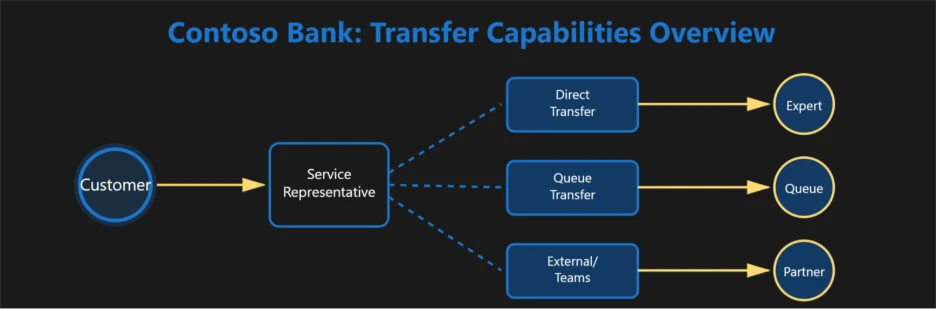
In today’s customer-focused landscape, every interaction matters. Modern contact centers must quickly connect customers with the right expert through voice, chat, or digital channels. Effective transfer options are critical—especially in multi-intent conversations, where a customer may start with one request (for example, a loan inquiry) and then pivot to a completely different need.
Dynamics 365 Contact Center solves this by offering robust transfer features, allowing service teams to route conversations efficiently to experts, specialist groups, or external partners. From direct transfers to warm handoffs or collaboration, these tools keep service smooth and consistent, helping representatives get customers the support they need without disruption.
To see how these capabilities play out in a real-world setting, let’s visit Contoso Bank.
Inside Contoso Bank: Delivering Seamless, Expert-Led Customer Experiences
To see these transfer capabilities in action, let’s walk through a real-world example from financial services. Contoso Bank is a global financial institution known for its premium wealth management offerings. Its Wealth Desk Support team assists high value clients each day. They answer investment queries, clarify portfolio allocations, manage insurance-related questions, and coordinate with Relationship Managers and specialists across the bank. Their mission is simple: connect every client to the right expert instantly, with a service experience that feels seamless, personal, and trusted.
Here’s how Dynamics 365 Contact Center empowers Contoso Bank’s service representatives to deliver that promise across voice and digital channels.
Direct Transfer: Fast, Seamless Connections
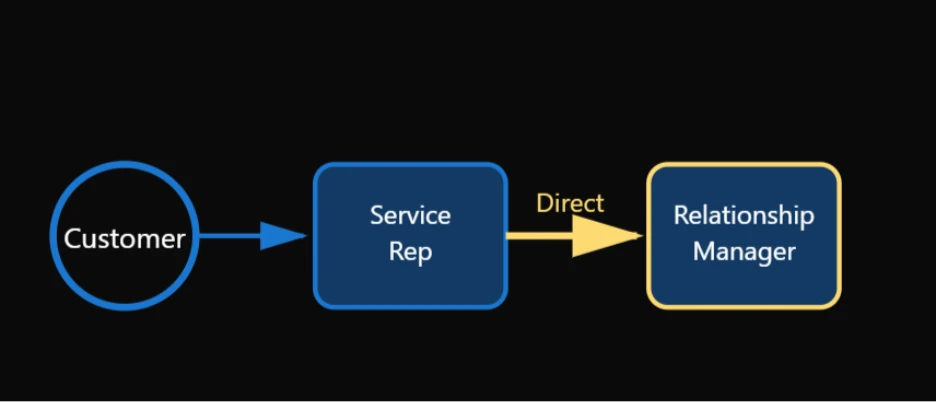
Direct Transfer enables service representatives to move a voice or digital conversation to another representative instantly, without a consult step.
Contoso Scenario: Initial Query → Relationship Manager
A customer initiates a chat with a general banking question, such as loan eligibility. As the conversation progresses, it becomes clear that the Relationship Manager (RM) is the right person to guide the customer further. The representative performs a Direct Transfer to the customer’s assigned RM.
What the client experiences:
From the client’s perspective, the experience feels immediate and effortless. There is minimal wait time, no need to repeat information, and the conversation continues directly with the Relationship Manager who understands their portfolio best.
Warm Transfer (Consult → Transfer): Perfect for High-Value, Sensitive Cases
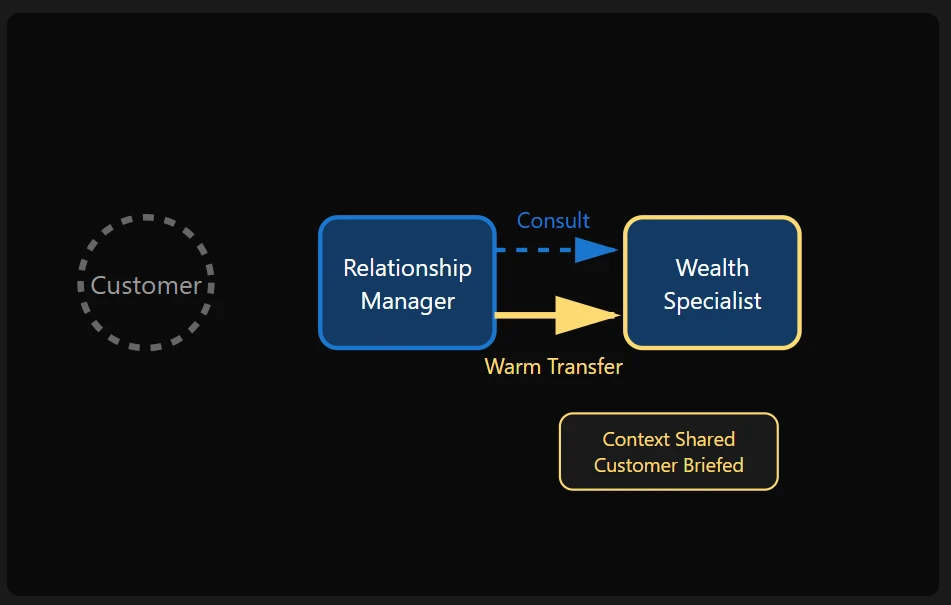
Warm Transfer allows a representative to first consult with another expert while the customer is on hold. This ensures the handoff is informed, confident, and respectful of the client’s needs.
Contoso Scenario: Relationship Manager → Wealth Specialist
A customer contacts their Relationship Manager (RM) to discuss concerns about recent market volatility and its impact on their portfolio. The RM consults a Wealth or Portfolio Specialist to review the customer’s risk profile, preferences, and current holdings. Once aligned, the RM completes a Warm Transfer, briefing the specialist before bringing the customer into the conversation.
Why it works well:
This approach preserves the personalization and trust already established by the Relationship Manager. It also reduces customer anxiety during sensitive financial discussions, and ensures the specialist receives full context before engaging with the client.
Transfer to Queues: Seamless Routing for Specialized Work
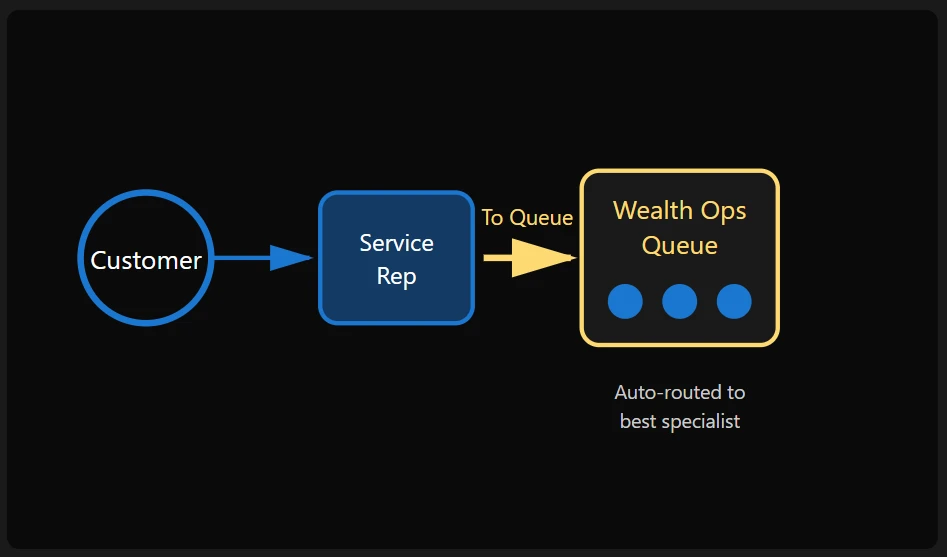
When the next handler depends on deeper expertise or workload balancing, conversations can be transferred into a queue, where routing logic selects the best representative.
Contoso Scenario: Mutual Fund Switch Request
A client wants to switch mutual funds via chat. The representative transfers the conversation into the Wealth Operations queue, ensuring the next available specialist picks it up.
Benefits:
This ensures efficient workload distribution across specialists, supports compliance-friendly handling of regulated requests, and delivers consistent, reliable service for customers.
Transfer to External Phone Numbers (PSTN): Connect with External Partners
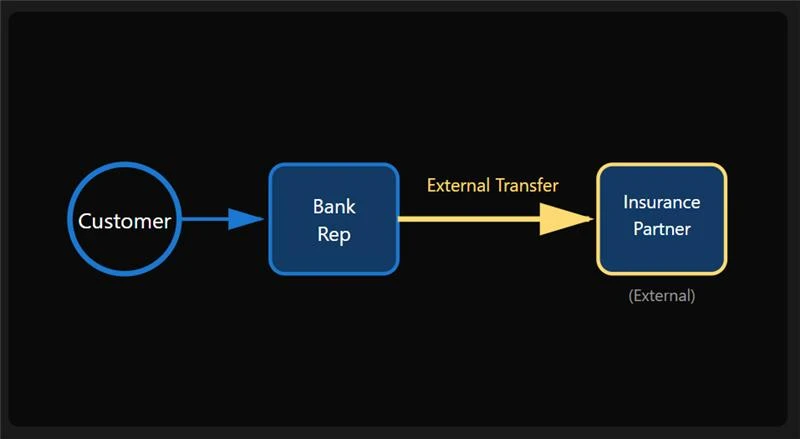
Banks frequently rely on external insurance, investment, or brokerage partners. Service representatives can transfer voice calls directly to an external PSTN number, creating a unified client experience even across institutional boundaries.
Contoso Scenario: Insurance Policy Maturity
A client needs details from Contoso’s insurance partner about an insurance product. The representative enters the partner’s PSTN number and transfers the call seamlessly.
Outcome:
The customer experiences a smooth handoff without channel disruption, while Contoso Bank maintains a connected end-to-end journey even when collaborating with external partners.
Transfer to Microsoft Teams Users: Collaboration Without Barriers
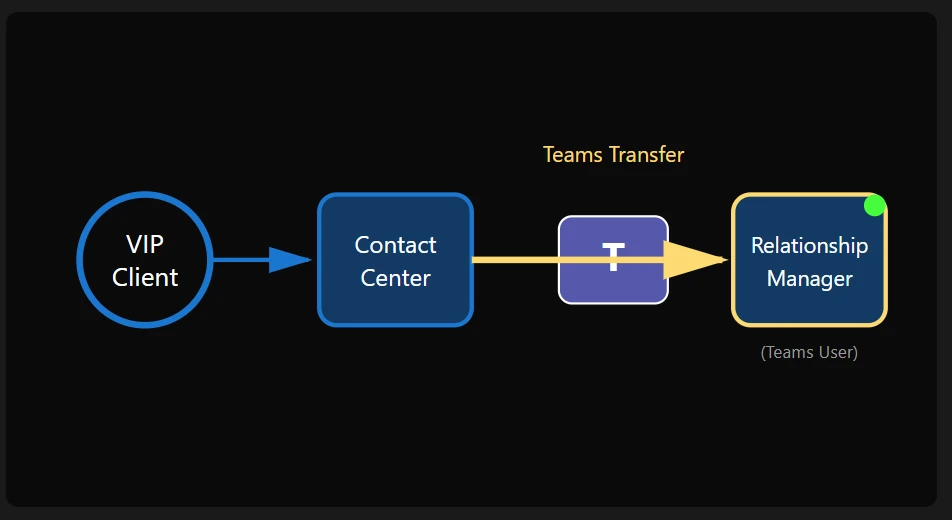
Many Relationship Managers and wealth specialists work primarily in Teams. Dynamics 365 Contact Center enables representatives to transfer conversations directly to Teams users, bridging contact center operations and collaboration tools.
Contoso Scenario: Urgent Conversation with a Relationship Manager
A VIP client calls needing immediate portfolio guidance. The representative sees the Relationship Manager is active in Teams and transfers the call instantly.
Benefits:
This enables faster access to advisors, eliminates context loss between systems, and gives Relationship Managers greater flexibility to engage from their primary workspace.
Wrap Up After Transfer: Protecting Time for Compliance & Documentation
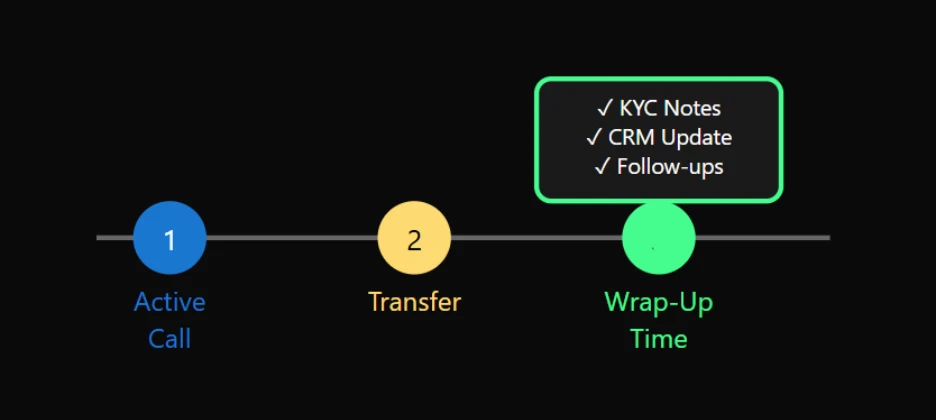
After transferring a call or chat, representatives often need to document the interaction — capturing notes, updating CRM fields, tagging compliance steps, or recording follow-ups.
Wrap Up After Transfer provides dedicated time to the expert before new work is assigned, helping maintain accuracy and quality.
Contoso Scenario: Logging KYC and Notes
During this wrap up time, the representative can complete KYC verification, add investment-related notes, and schedule any required follow-ups without pressure from incoming work.
Why it matters:
This reduces operational errors, strengthens compliance posture, and ensures customer records remain complete and accurate.
Filtered Transfers: Showing the Right Queues, Every Time
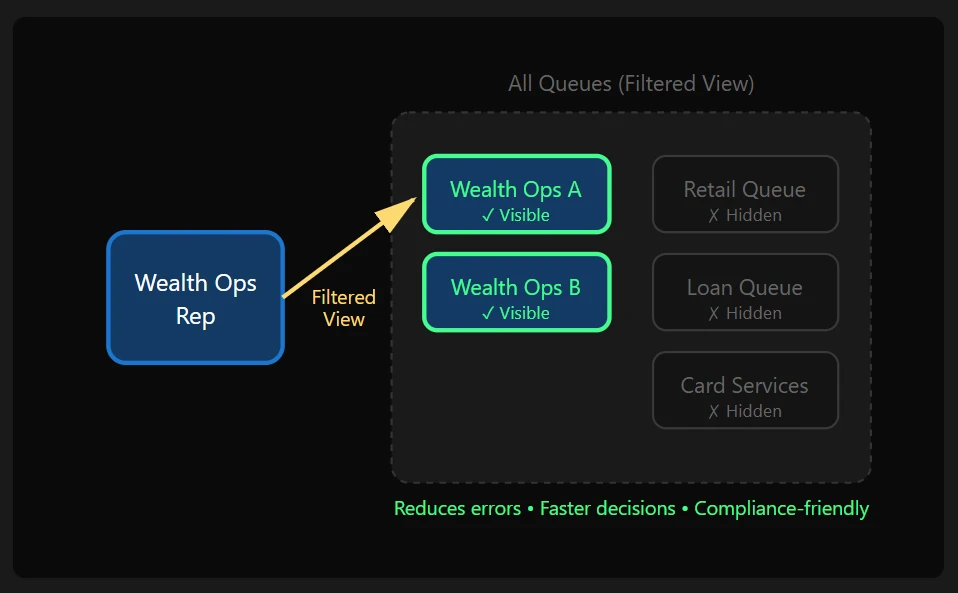
In large contact centers, not every queue or user should be available for every transfer. An unfiltered list slows representatives down and increases the risk of incorrect or noncompliant handoffs. Dynamics 365 Contact Center addresses this by allowing organizations to control which queues and users are visible during transfer, ensuring representatives see only the most relevant options.
Contoso Scenario: Precision Transfers in Wealth Operations
A customer’s chat is transferred into the Wealth Operations queue once their request is identified as a fund switch. Representatives can now see and transfer only to approved Wealth Operations sub-queues and eligible specialists, based on role and policy. This ensures the conversation stays within the correct domain, prevents accidental rerouting, and helps Contoso maintain accuracy, compliance, and faster resolution once work enters specialized queues.
Why it matters:
Filtered transfers reduce cognitive load for representatives, improve transfer accuracy, and reinforce compliance—especially in multi-intent conversations where choosing the right next destination is critical to a seamless customer experience.
Elevate Every Conversation with Dynamics 365 Contact Center
In any industry, strong customer experiences depend on connecting people with the right expertise quickly. Dynamics 365 Contact Center offers flexible transfers and intelligent routing to keep conversations efficient, regardless of complexity.
Learn more
To explore the transfer capabilities in detail, visit the official documentation:
The post All Transfer Capabilities in Dynamics 365 Contact Center appeared first on Microsoft Dynamics 365 Blog.